Sermon clips AI that turns every service into vertical Shorts
A 45 minute sermon holds a few passages people would share, but nobody on a church media team has hours to scrub through the recording. ShortsCreator reads the full transcript, ranks the complete thoughts, and cuts them into vertical clips with the pastor framed, captions on and a review step before anything goes live.
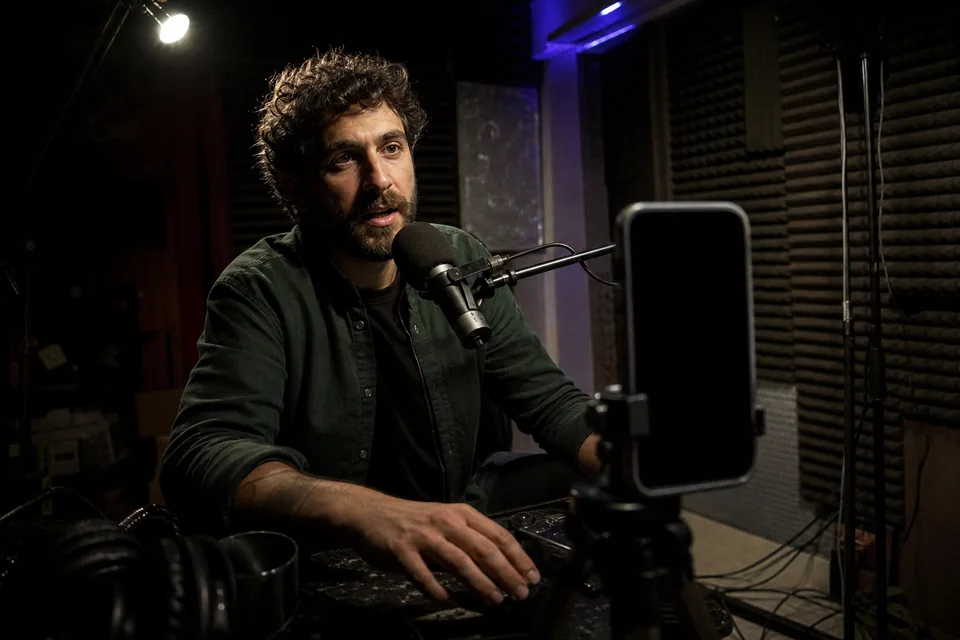
Monday morning is when sermon clips should go out
The service ends Sunday, the livestream is already on YouTube, and the week's reach depends on a handful of short clips posted before Wednesday. A volunteer or a single communications hire usually carries that job alongside bulletins, slides and the next service.
Sermon clips AI shortens the slowest part, which is finding the passage and cutting it cleanly. You still decide what represents the message. The software does the scrubbing, cropping and captioning.
- No scrubbing through a full service for the quotable minute
- No manual crop from a wide camera to a vertical frame
- No captions typed word by word
Complete thoughts, with the quote and the reason
Every sermon gets a ranked list of moments between 15 and 90 seconds. Each one shows the exact quote, a 0 to 100 score and a written reason, such as a clear opening line or a payoff at the end. You read it like a table of contents of the message and open only the passages you would approve.
Trim a clip by editing the transcript text. Fix names and Scripture references in the same place, so the captions match what your pastor meant.
- Exact quote for every moment
- Score with a reason, not a promise of views
- Edit start, end and words in the transcript

The pastor stays in frame, on stage or at a panel
Face tracking keeps the speaker centered as a wide shot becomes 9:16. For a panel, an interview or a baptism testimony, the split layout puts two speakers one above the other. Check one clip from a moving stage section and one from a quiet delivery before you buy, so the result reflects your own camera setup.
Caption styles and church fonts and colors live in a brand kit, so every clip looks like it belongs to the same ministry.
- Face tracking for a single speaker on stage
- Split layout for panels and interviews
- Brand kit with fonts, colors and caption style
Connect the church channel once
Channel autopilot, included on Studio and above, clips every new upload on a connected YouTube channel into a review queue. When the Sunday stream is archived, the moments are waiting for the media director to approve. Approved clips go onto a calendar for YouTube Shorts, TikTok and Instagram Reels.
Multi-site churches and agencies serving several congregations can give each campus or client a separate workspace with owner, editor and reviewer roles. Nothing is published until the reviewer approves. Compare tools for your team in our guide to the best sermon clip software, or see how the video repurposing tool for agencies handles client approval.
From Sunday stream to a week of clips
The workflow fits the day after the service.
- Paste the YouTube link of the archived service or upload the MP4.
- Read the ranked moments while the clips are already cut and framed.
- Check theological context, Scripture references and caption spelling with the person who answers for the message.
- Approve the clips and schedule them across the days until next Sunday.
Read how to turn long videos into shorts step by step, or see how the auto caption generator handles names and verses.

Minutes that fit a weekly service
Source minutes count the length of the service you process. One weekly 60 minute service is about 260 minutes a month, so Creator at 150 minutes fits an occasional upload and Studio at 500 minutes fits one or two weekly services plus midweek studies. Studio is $149 a month or $74 a month billed yearly, with three channels, three seats and autopilot. Agency, at $499 a month or $249 billed yearly, covers 1,800 minutes, 25 channels and 10 seats for multi-site teams and agencies.
Deleting a clip does not give minutes back. See every plan on the ShortsCreator pricing page.
FAQ
The best AI for sermon clips finds complete thoughts and lets a person approve each one. ShortsCreator ranks moments with the exact quote, frames the pastor in vertical and adds a review step. Test any tool on a sermon your pastor knows, then check that the clip keeps the original meaning.
Yes. Paste the link of the archived stream or connect the church channel with autopilot. Each new upload is clipped into a review queue, so the moments are ready after the service without anyone downloading the recording.
A 60 minute service uses 60 source minutes, which is about 260 minutes in a month with weekly uploads. Add midweek or second services and the total grows. Choose a plan whose monthly minutes cover your real schedule.
Yes. Uploaded files and transcripts stay private to your workspace and are not used to train AI models.
Try it on this week's sermon
Paste the YouTube link of your latest service and read the suggested moments before you choose a plan.