Podcast clips AI that turns every episode into short vertical answers
A 90 minute episode holds the answer someone will share, but nobody has time to listen back to find it. ShortsCreator reads the full transcript, ranks the self-contained answers and stories, and cuts them into vertical clips with both hosts in frame and captions people can read with the sound off.
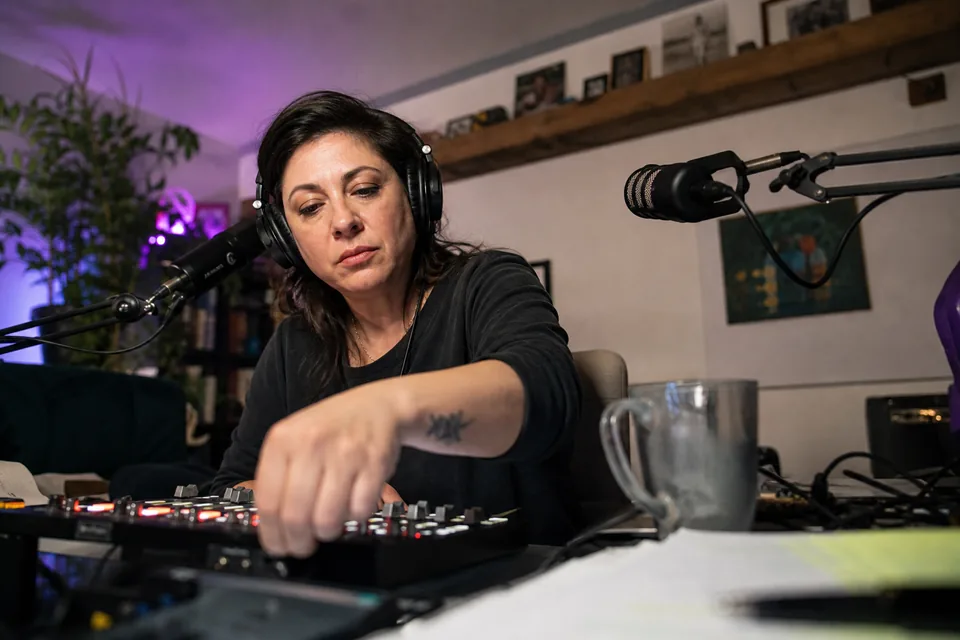
Long conversations hide the clips that bring new listeners
Podcast clips work on Shorts, TikTok and Reels because one good answer is a complete story. The trouble is the length of the source. Listening back to an hour of conversation, marking timestamps, cutting two camera angles and captioning every word takes longer than recording the episode.
Podcast clips AI does the listening for you. It reads the transcript with word-level timestamps, finds the answers that make sense without the rest of the episode, and prepares them as clips you only need to review.
- No listening back to find the good part
- No juggling two speakers in a vertical frame
- No captions typed by hand
The AI finds answers that stand on their own
Every episode gets a ranked list of moments between 15 and 90 seconds. A moment is a question with its answer, a short story, a strong opinion or a quotable line that does not need the context before it. Each one shows the exact quote, a virality score from 0 to 100 and the reason, such as a clear hook in the first sentence or a payoff at the end.
You read the list like a table of contents of the episode. Open the moments you like, skip the rest, and extend or shorten any clip by editing the transcript text.
- Exact quote for every moment
- Score from 0 to 100 with a written reason
- Trim by editing the transcript

Both hosts stay in frame with the split layout
Conversations do not fit a single centred face. When two people talk, ShortsCreator switches to a two-speaker split layout: one speaker on the top half of the 9:16 frame, the other on the bottom, each framed by face tracking. For a single-speaker answer, the clip uses a full frame on the person talking.
You can change the layout per clip in the editor if you prefer a full frame on the guest for a long answer, or the split view for a fast exchange.
- Split layout for two speakers, one above the other
- Full frame on a single speaker
- Layout switch per clip in the editor
Audio-only podcasts get clips too
No video recording is needed. Upload the MP3 of your episode and ShortsCreator builds each clip from a static frame, such as your cover art or a still image in your brand kit, with animated captions carrying the words. The result is a vertical clip that works on YouTube Shorts, TikTok and Instagram Reels even when the show was recorded as audio only.
Captions are where audio clips win or lose attention, so choose a template that highlights each word as it is spoken, set your brand fonts and colours, and keep emoji off unless your show uses them.
- MP3 upload with a static frame from your brand kit
- Word highlight, karaoke and minimal caption templates
- Same export and scheduling as video episodes
Captions, titles and a schedule for every episode
Each clip gets animated captions, a hook line on the first frame, and a title, description and hashtags for each platform. Export a 1080x1920 MP4 at up to 60 fps with SRT files, or put clips straight on the calendar. On Studio and higher plans, the same clip goes to YouTube Shorts, TikTok and Instagram Reels on the dates you set.
If your episodes go to a YouTube channel, connect it and turn on channel autopilot: each new episode is clipped automatically and lands in your review queue. Learn more about hashtags for youtube shorts and the auto caption generator.

From finished episode to a week of clips
The workflow fits the day after recording, when the episode is edited and ready to go out.
A guest who appears in a clip can get the file straight from the export, so they can share their own answer with their audience. Read how to turn long videos into shorts step by step, or see what an ai video clipper does with a full conversation.
- Paste the YouTube link of the published episode, upload the MP4 or MOV file, or upload the MP3 of an audio-only show.
- Read the ranked list of moments with quotes and scores while the clips are already cut and framed.
- Open the answers you want, adjust the start and end by editing the transcript, and pick a caption template.
- Approve the clips and place them on the calendar across the days until the next episode.
Minutes that fit long episodes
Studio fits most weekly shows: 500 source video minutes a month, three channels, three seats, channel autopilot and scheduling to YouTube, TikTok and Reels, for $149 a month or $74 a month billed yearly. A shorter or less frequent show fits Creator with 150 minutes a month for $49 a month or $24 a month billed yearly.
Minutes count the length of the source episode you process in a billing period. Deleting a clip does not give minutes back. Compare every plan on the ShortsCreator pricing page.
FAQ
ShortsCreator does. Upload the MP3 and each clip is built on a static frame with animated captions, ready for vertical platforms.
Face tracking finds both speakers and places them one above the other. You can swap the order or switch to a full frame on one person in the editor.
Yes, as long as your plan has the minutes left in the current billing period. A two-hour episode uses 120 source minutes.
Yes. Uploaded files and transcripts stay private to your workspace and are not used to train AI models.
Find the clips in your latest episode
Paste a YouTube link to an episode or try the two-host interview sample to see how the split layout looks.