AI video clipper that reads your video before it cuts
ShortsCreator is an AI video clipper for people who publish long videos every week. It reads the full transcript, picks the moments that work on their own, explains why each one should travel, and hands you vertical clips with the speaker in frame, captions in your brand and a title ready to post.
Most clips fail before the cut
A clip that starts in the middle of a thought or ends before the payoff loses viewers in the first two seconds, no matter how good the captions look. That is why an AI clipping tool has to understand what was said before it decides where to cut.
ShortsCreator transcribes every word with its own timestamp. The moment finder then reads the whole conversation, not a sliding window, so it can see that a question asked at minute 12 is answered at minute 14 and that the two belong in one clip.
Each moment it returns has a clear start, a clear end and the exact quote, so you can judge it in seconds by reading instead of scrubbing through the timeline.
- Word-level timestamps for precise in and out points
- Self-contained moments between 15 and 90 seconds
- The exact quote shown next to every suggestion
Why each moment ranks where it does
A list of twenty random cuts is not help, it is homework. ShortsCreator ranks moments and gives every clip a virality score from 0 to 100 together with a one-line reason: a strong hook in the first sentence, a fast payoff, a quotable line, or a topic that stands on its own without the rest of the video.
The score is a sorting aid, not a promise of views. It tells you which clips to review first and which ones to skip when you only have ten minutes. You keep the final say on everything that gets published.
- Score from 0 to 100 on every clip
- The reason written in plain words
- Suggested title and hook text for the first frame

The speaker stays in the frame
Turning a 16:9 video into a 9:16 clip is more than a centre crop. When the host leans to the side or the camera framing is wide, a fixed crop cuts off faces and leaves empty wall in view.
Face tracking follows the active speaker through the clip. For podcasts and interviews with two people, the split layout stacks both speakers in the vertical frame so the conversation reads naturally. You can also export in 1:1 or 4:5 for feeds that prefer those shapes.
- 9:16, 1:1 and 4:5 output
- Face tracking on the active speaker
- Two-speaker split layout for interviews
Fix a clip by editing a sentence
Every clip opens in an editor that shows the transcript next to the vertical preview. Delete a filler sentence in the text and it disappears from the clip. Start one sentence earlier by selecting it. Swap the layout or the caption template with one click.
Captions come from the same transcript, so a corrected word is corrected in the video too. When you need more control over the look of the text, the auto caption generator page shows every template and brand option.
Clipping that starts when you upload
On the Studio, Agency and Enterprise plans you connect a YouTube channel once. Every new upload is clipped automatically and the results land in a review queue with scores, titles and captions already applied. You open the queue, approve the clips you like, and schedule them to YouTube Shorts, TikTok and Instagram Reels from the calendar.
For a creator with one long video a week, this turns clipping into a short review session. For teams, reviewers can approve before anything goes live, and each client keeps its own brand kit and channels. The full step by step flow is on the page about how to turn long videos into shorts.
When an AI clipper is the right tool
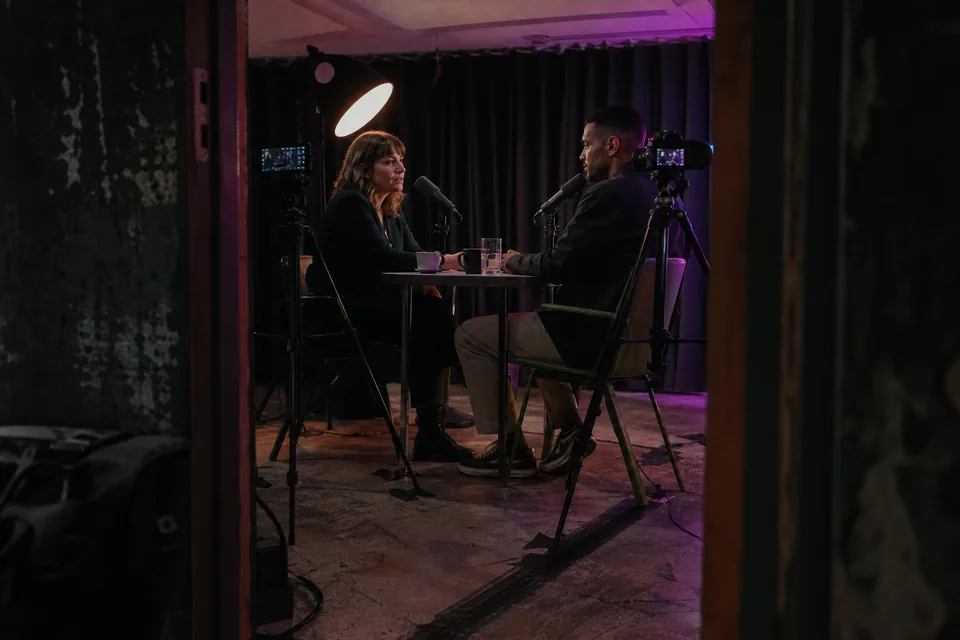
An AI clipper is built around speech. It does its best work on videos where people talk: podcasts, interviews, commentary, tutorials, vlogs, webinars, courses and talks. The transcript gives it something to reason about.
It is a weaker fit for footage where nothing is said, such as silent gameplay, music videos or b-roll montages. For those, a timeline editor is usually the faster route. If you are still comparing approaches, our guide to the best video clipping software walks through the options without a ranking.
ShortsCreator only cuts and edits footage you already have. It does not generate synthetic video, and your videos are never used to train AI models.
Minutes sized for weekly long-form
Plans are measured in source video minutes per month, which is the length of the long videos you bring in. Creator includes 150 minutes for $49 a month, Studio 500 minutes for $149, Agency 1,800 minutes for $499 and Enterprise 6,000 minutes for $1,499. Yearly billing costs exactly half per month and is the default.
Deleting a clip does not return minutes, so the counter always reflects the video you processed. There is no free plan. The one-time demo lets you analyse a video before you pay. Full details are on ShortsCreator pricing.
FAQ
An AI video clipper is software that cuts a long video into short clips by itself. ShortsCreator reads the transcript, ranks self-contained moments, cuts them vertical with the speaker in frame and adds captions and a title.
A regular editor gives you a timeline and expects you to find the moments. An AI clipping tool finds and ranks them first, so your time goes into choosing and polishing rather than searching.
Paste a YouTube link, upload an MP4, MOV or MP3 file, or connect your channel. Clip only videos you own or have the rights to use.
No. Clips come out with captions, reframing and a title already applied. You edit only when you want to, by changing the transcript text or picking another template.
No. Your videos and transcripts stay private to your workspace and are not used to train AI models.
See what the clipper finds in your video
Paste a link to one of your long videos. You get ranked moments with quotes and scores, and the first clip plays in a vertical preview.